Pet Device Apps Fail: Home Assistant Support for 6 Brands
The short answer: the app is the weakest part of a smart pet device, and a home automation platform is how thousands of owners route around it. Of the six pet brands I checked in the Home Assistant documentation and its community registry on September 22, 2026, three have integrations built and maintained inside Home Assistant itself and three depend on volunteers. Only one documented route removes the vendor cloud completely, and it involves reflashing hardware.
I read the 22-comment r/homeassistant thread from September 13 where owners list what their pet gear actually does, then went through the official integration pages and the HACS default registry to see which brands the code really exists for. The picture is more lopsided than the marketing suggests, and the gaps inside the supported brands matter as much as the support itself.
petiqlab earns a commission from the Amazon links on this page. Everything below comes from Home Assistant’s own documentation, the community registry, a public owner thread and manufacturer pages read on September 22, 2026, with the links in the sources at the end. petiqlab has not tested these integrations, and the quotes are the owners’ own.
Which pet brands work with Home Assistant?
The short answer: Whisker, Sure Petcare and TP-Link have integrations maintained inside Home Assistant, while PETKIT, Petlibro and PetSafe are covered by community components published in the HACS default registry. Searching for the brand name does not always find the page, and two of the three community integrations cover only part of the brand’s product line.
| Brand and product | Integration | What it exposes | Vendor cloud in the path |
|---|---|---|---|
| Whisker (Litter-Robot, Feeder-Robot) | Official, shipped with Home Assistant | Waste drawer level, litter level, pet weight, status code, total cycles, sleep schedules, hopper and bonnet flags, firmware update on Litter-Robot 4; food level, last and next feeding, snack button on Feeder-Robot | Yes, setup asks for your Whisker account |
| Sure Petcare | Official, Connect products only | Pet presence, flap lock states, feeder and hub battery percentage derived from voltage, water remaining in the Felaqua bowl, hub connectivity and signal strength | Yes, requires the Connect hub |
| TP-Link Tapo | Official, platinum quality, named maintainers | Camera live view and control for models from the C100 to the C225, privacy mode, pan and tilt, motion alerts, plugs, switches, bulbs and lights | Yes, setup asks for your TP-Link account |
| PETKIT | Community only, two repositories in the default registry | Depends on the repository, which covers fountains and boxes rather than a single product line | Yes, cloud account required |
| Petlibro | Community only, one repository | Owners report feeding schedules, food and water levels and eating and drinking history for RFID models | Yes, cloud account required |
| PetSafe | Community only, one repository covering Smart Feed feeders and ScoopFree litter boxes | Feeding and box status for those two lines | Yes, cloud account required |
Two verification notes matter more than the table. First, the official Whisker page is filed under the product name rather than the brand, at home-assistant.io/integrations/litterrobot/, so a brand search can miss it. Second, PETKIT, Petlibro and PetSafe have no page in the official integration index at all, and the registry where their community components live held 3,262 entries on September 22, 2026, which tells you how much of this ecosystem is volunteer labor.
What the official Whisker integration gives you, in its own documentation, is granular enough to run a household on. The waste drawer level, the litter level on Litter-Robot 4 and 5, the current status code (Clean Cycle in Progress, Ready, Drawer Full), total cycles, the last time the unit reported in, and a litterrobot.set_sleep_mode action. The catches sit in the model years. A night light switch exists for the Litter-Robot 3 only. Litter level, pet weight, globe brightness and a reset button cover the 4 and the 5. The per-day sleep schedule, a hopper-connected flag, a bonnet-removed flag and a dirty-laser flag belong to the Litter-Robot 5. Firmware updates are exposed only for the Litter-Robot 4. The vendor’s own feature gaps show up in your dashboard, unchanged.
What owners actually automate after they set it up
The short answer: the boring sensors, and the notifications the app will not send.
The most revealing comment in the September thread comes with 7 upvotes. “I use petkit and whisker and have custom cards for both integrations in HACS,” the owner writes, which is the pattern in miniature. The vendor supplies a cloud account, a volunteer supplies the card, and the dashboard ends up better than either app.
A Petlibro owner with more hardware describes the upside precisely: two RFID feeders and an RFID fountain, wired so the household can “control feeding schedules, view food and water levels, and monitor eating and drinking.” He adds the caveat that belongs in every article about this, and it is the sentence vendors would rather you did not read. “They had some server issues recently which wasn’t great but still happy with them personally.”
The most quoted outcome is the smallest one. An owner with 2 upvotes wrote that after installing the integration and wiring up workflows, “I stopped opening whiskers app at all.” That is the real test of any integration, and it is not a feature list. It is whether the thing you open every morning is the vendor’s app or your own page.
Four automations recur in these threads and each one costs nothing:
- Waste drawer level above 80%. The most used entity in the official Whisker integration, according to the owner who called it “flawless,” is the one that tells you the box is filling before your cat does.
- The unit has not reported in for two hours. The last-seen sensor turns a device that failed silently into a notification.
- Hopper or food level is low. For the Feeder-Robot, the integration reports the approximate food level in the hopper and the timestamp of the next scheduled meal, which together beat any guess about whether the machine is stocked.
- Battery below 10%. A Sure Petcare owner whose rechargeable batteries made the app’s battery figure wrong solved it in Home Assistant, where the API reports an actual percentage, and set an alert below 10%. The vendor’s app reads a value its hardware does not agree with, and the dashboard reads the number underneath.
Official support is not the same as local control
The short answer: every official integration above logs into the vendor’s cloud, so a server outage takes your dashboard with it. Local control is a different purchase decision.
Read the setup steps on the Whisker page and the dependency is explicit. The prerequisites are a Whisker account and a Wi-Fi connected unit linked to it, and the integration subscribes to updates from the vendor to receive new data as it becomes available. That is a second window onto the same house, with better reporting and better automation. It is not a bypass.
The August 2026 PETLIBRO outage is the case study. Feeders went offline for days, the vendor acknowledged the impact, and any dashboard reading that API went dark alongside the app. The Petlibro owner quoting “server issues” in the thread above was describing the same single point of failure from the comfort of a working dashboard.
Three honest limits follow from that.
A cloud client is only as good as the cloud. Count the integrations in the table above and one line survives without it, which is the offline microchip feeder with no network stack at all. Everything else, official or community, stops being useful the moment the vendor’s servers do.
The vendor still owns your firmware. The official Whisker integration exposes a firmware update for one model, the Litter-Robot 4. Nothing there lets you refuse an update or roll one back, and this site has already documented the month of September in which five pet device update incidents landed on owners, including a wet food feeder line bricked on two units with no rollback path.
A wrong sensor reads just as wrong in a dashboard. Owners spent this month chasing feeders that reported completed meals while the lid stayed shut and readers that blamed machines instead of microchips. Home Assistant inherits exactly those values. A prettier chart of a false reading is still a false reading.
The one route that removes the vendor cloud completely
The short answer: replacing the firmware, and it works on one model.
The esphome-litter-robot project on Codeberg publishes ESPHome packages and flashing instructions for Whisker’s litter box, and its README states the goal plainly: eliminating the dependency on Whisker’s cloud infrastructure and integrating with self-hosted services instead. The repository had 17 stars and 71 commits as of September 22, 2026, with the newest commits dated September 20, 2026, and a documented solderless option for the LR4S.
Three claims from that README are worth keeping, because they answer the two objections any owner will raise.
On privacy and outages, the project says all data stays local, no telemetry reaches Whisker or AWS, and the device can run “entirely offline, with no cloud outages or future service shutdowns to worry about.”
On safety, it explains the hardware. The ESP32 inside the Litter-Robot 3 and 4 acts as a bridge between the cloud and the mainboard microcontroller, and all hardware control and safety-critical logic lives in that separate microcontroller, so replacing the bridge firmware does not touch the safety mechanisms. The project says so itself, which is why this belongs in a buying guide as a research note and not as a recommendation. Flashing hardware has warranty and support consequences no manufacturer will absorb.
On what you gain, there is one feature the official integration cannot match. The hopper can be enabled and disabled through automations, which the README notes is not possible with the existing Home Assistant integration. It also claims fewer false cat detections, by requiring both weight and curtain sensor readings before recording a visit. The Litter-Robot 4 is the only supported model. The Litter-Robot 3 shares the architecture but has never been tested by the maintainer, and firmware for the mainboard and laser board cannot be updated through this route at all.
What an integration cannot fix
The short answer: anything the hardware or the vendor policy decides.
Firmware and updates stay one-directional. None of these integrations offers a rollback, and the community route cannot update the parts of the machine it does not own.
Community integrations are volunteer work with a volunteer service level. When a vendor changes an API, a HACS component fails until a person with a day job fixes it. The Petlibro component is a single repository, the PETKIT support is split across two, and neither carries a support line you can call.
No integration reaches a sensor the machine does not have. If the model you bought lacks a litter level sensor, no dashboard invents one. The same goes for the camera in a litter box that cannot say whether a cat is inside the globe, which is a hardware gap owners have been complaining about all month.
And nothing here removes a subscription. A camera whose recorded playback sits behind a monthly plan reports the same wall in Home Assistant, because the wall is an account permission and not a user interface. The way around that one is the SD card, which is covered in the no-subscription camera guide.
Five checks before you buy for local control
- Search the official index for the product, not the brand. Whisker’s page lives under the litter robot name. If neither list carries the brand at all, assume app-only and buy on that basis, the way the offline-first guide suggests.
- Read what setup asks for. If the first screen wants a vendor account and password, you are buying a cloud client. That is fine, and it is a different promise from local control.
- Match the entity list to the model number. Litter level and pet weight exist on the Litter-Robot 4 and 5, the per-day sleep schedule only on the 5, and the night light switch only on the 3. Support pages describe product lines, not the box you are about to receive.
- Ask what the device does with the app deleted. The PetSafe Smart Feed holds its schedule on the device with a battery backup. The Eversweet 3 Pro pump circulates without an app. The offline SureFeed feeder has no account to delete. A device that feeds or waters your cat when the network dies is worth more than a device with a better dashboard.
- Check who maintains the code and what the fallback is. An integration maintained inside Home Assistant has release notes and multiple maintainers. A community component has one or two people and a GitHub issues tab. Neither is disqualifying, and both should change how much you depend on it, which is the same question this site asks about a vendor that stops supporting its hardware.
What petiqlab recommends
The pick for this page is the feeder that keeps its own schedule, the PetSafe Smart Feed, which lists at $134.99 from the manufacturer with a 45-day return window and stores its feeding plan on the device with backup batteries. A community component covers Smart Feed feeders and ScoopFree boxes in Home Assistant, so the reporting layer is open even though the vendor did not build it. Treat it as a product rather than a brand badge, because PetSafe’s brand-level Trustpilot score is 2.2 across 228 reviews, the lowest in this comparison.
For multi-cat homes, the SureFeed microchip feeder is the honest answer to “can I run it locally,” because there is nothing to run. No app, no account, no server, and no Home Assistant integration to break, since the official Sure Petcare integration only covers the connected version with a hub. It carries a three-year warranty and keeps registered pets in memory with the batteries out. The trade is real: no remote feeding history, and the sensor faults owners report in the brand’s own community need a reset.
The TP-Link Tapo C210 is the one camera here with official, platinum-quality support inside Home Assistant, listed among the supported Tapo cameras with live view, privacy mode, pan and tilt and motion alerts. It records to a local microSD card without a subscription, so the footage survives the outage that takes the cloud camera offline, and the two layers work together: the integration for control, the card for evidence. One limitation to know before you buy is that some firmware versions require third-party compatibility to be enabled in the app before Home Assistant can reach the camera.
For water, the PETKIT Eversweet 3 Pro lists at $79.99 on the brand’s own page with a wireless pump sold separately for about $16, and a PETKIT community component exists for owners who want it on a dashboard. Two disclosures travel with it. Owners report the pump needing 20 to 30 minutes of retries to restart after a refill, and the brand’s Trustpilot score sits at 3.6 across 299 reviews with the newest complaints landing on other models.
The devices are the same devices either way. What changes is which layer you are buying for, and whether the layer that breaks less often is the one holding your cat’s dinner schedule.
FAQ
Does Home Assistant work with pet feeders? Yes, on three of the six brands checked in September 2026. Whisker’s Feeder-Robot has an integration built into Home Assistant itself, and it exposes the food level in the hopper, the last and next feeding, a snack button and a gravity mode switch. PetSafe, Petlibro and PETKIT feeder lines are supported through community components published in the HACS default registry, which means a volunteer wrote the code and a volunteer fixes it when the vendor changes an API. Before buying, check the entity list against the exact model you want, because availability inside an integration follows model years.
Is the Litter-Robot integration official? Yes. Home Assistant ships a Whisker integration that controls and monitors Wi-Fi Litter-Robot and Feeder-Robot units, and it asks for your Whisker account email and password during setup. The page lives under the older product name at home-assistant.io/integrations/litterrobot/, so a search for the brand name alone can miss it. It exposes the waste drawer level, litter level on Litter-Robot 4 and 5, pet weight on those same two models, the status code, total cycles and a sleep mode action.
Does the SureFeed microchip feeder work with Home Assistant? Only the connected version does, and the offline version is the one this site recommends. The official Sure Petcare integration covers Connect products registered to the brand’s hub, including feeders, cat flaps and the Felaqua bowl, and it reports presence, lock states and a battery percentage derived from battery voltage. The offline microchip feeder has no hub, no account and no network stack, so there is nothing for a smart home platform to talk to. That is also why it keeps feeding cats during a vendor outage.
Can I run a pet device locally with no cloud at all? One documented route exists and it requires opening the hardware. The esphome-litter-robot project on Codeberg replaces the ESP32 firmware in a Litter-Robot 4 with an ESPHome build that talks to Home Assistant over your own network, with no vendor account, no telemetry and no internet connection required. The project states that the ESP32 is only a bridge between the cloud and the mainboard microcontroller, so safety logic is untouched, and it supports the Litter-Robot 4 alone as of September 2026. Flashing firmware has warranty consequences, so treat it as a project rather than a product.
What happens to Home Assistant when a pet brand’s servers go down? Official integrations do not survive it either, because they log into the same vendor cloud the app uses. A Petlibro owner in a September 2026 thread runs two RFID feeders and an RFID fountain through Home Assistant and described a recent server problem as the one thing that annoyed him. The August 2026 Petlibro outage took feeders offline for days on the vendor’s own app and on any platform reading the same API. Local control only becomes real when the device itself holds the schedule, or when the firmware has been replaced.
How much does the smart home layer cost? More time than money. You need a computer that stays on, which most owners build from a small mini PC or a single-board computer, and you take on software updates and backups that a vendor app would have handled for you. The measurable saving is on the other side of the ledger, where the dashboard can replace a subscription and can read a battery level the vendor app gets wrong. For a household with two or three devices, the honest reason to do it is reporting you control, not the price.
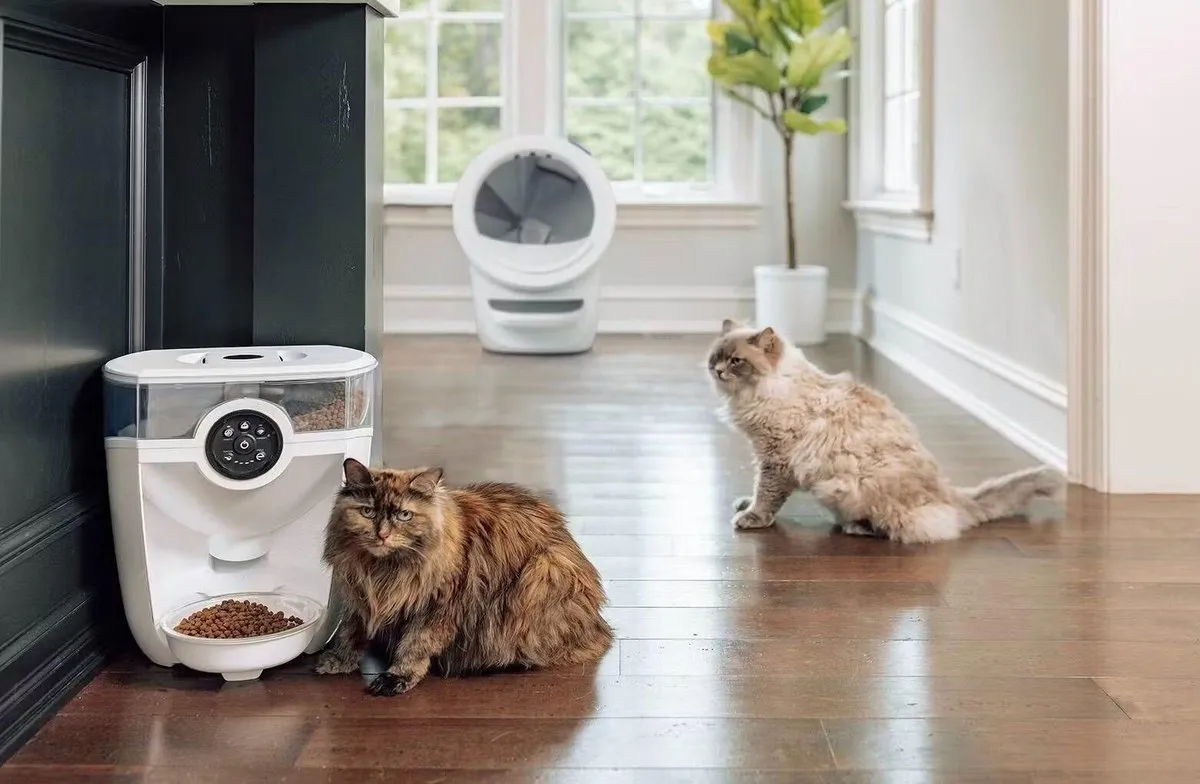
Updated: 2026-09-22. Sources: Home Assistant’s official Whisker integration page (the entity list quoted in this article, including waste drawer level, litter level and pet weight on Litter-Robot 4 and 5, the per-day sleep schedule on the 5, the night light switch on the 3, the firmware update entity on the 4, Feeder-Robot food level, last and next feeding and the snack button, the litterrobot.set_sleep_mode action, and the prerequisite of a Whisker account, read September 22, 2026), Home Assistant’s official Sure Petcare integration page (Connect pet and cat flaps, feeders, Felaqua and hub, with presence, lock states, battery percentage derived from voltage and water remaining, read September 22, 2026), Home Assistant’s official TP-Link Smart Home integration page (platinum quality, supported Tapo cameras listed from the C100 to the C225 including the C210 and C220, live view requiring camera account credentials, privacy mode, pan and tilt, motion alerts, and the third-party compatibility limitation on some firmware, read September 22, 2026), the HACS default integration registry (3,262 entries on September 22, 2026, including jjjonesjr33/petlibro described as a Petlibro Home Assistant integration, RobertD502/home-assistant-petkit and Jezza34000/homeassistant_petkit for PETKIT, dcmeglio/homeassistant-petsafe described as integrating PetSafe Smartfeed feeders and Scoopfree litter boxes, JurajNyiri/HomeAssistant-Tapo-Control for Tapo cameras, and FredrikM97/hass-surepetcare), the esphome-litter-robot repository on Codeberg (17 stars and 71 commits with the newest commit dated September 20, 2026, the stated goal of eliminating dependency on Whisker’s cloud, the claim that the ESP32 is a WiFi-to-UART bridge while safety logic runs on the mainboard microcontroller, Litter-Robot 4 as the only supported model, hopper control through automations as a feature the official integration lacks, no mainboard or laser board firmware updates, and solderless instructions for the LR4S, read September 22, 2026), r/homeassistant thread 1wfb6rd (22 comments, including the 7-upvote Petkit and Whisker custom cards in HACS, the Petlibro owner running two RFID feeders and an RFID fountain with feeding schedules, food and water levels and eating history plus his “they had some server issues recently” caveat, the owner who stopped opening the Whisker app at all after setting up his own workflows, the Litter-Robot integration called “flawless” with the waste basket level as his most used entity, and the Sure Petcare owner whose rechargeable batteries made the app’s battery reading wrong until he read the API and set an alert below 10%, September 13, 2026), the Whisker Feeder-Robot product page ($299, Wi-Fi connected, WhiskerCare extended warranty, and the official product photograph used as the hero image on this page, read September 22, 2026), PetSafe’s Smart Feed page ($134.99, 45-day return, schedule and meal history held on the device), the Sure Petcare microchip feeder page (three-year warranty, sealed bowl, no app or account), the PETKIT Eversweet 3 Pro page ($79.99 with the wireless pump sold as its own part, read September 18, 2026), Amazon listings for the PetSafe Smart Feed, SureFeed microchip feeder, TP-Link Tapo C210 and PETKIT Eversweet 3 Pro with its $16 spare pump, Trustpilot profiles for petlibro.com (3.4 across 982 reviews, replies to 62% of negative reviews within two weeks), litter-robot.com (3.2 across 598, replies to 96% within a week), petkit.com (3.6 across 299, replies to 81%) and petsafe.net (2.2 across 228, no reply badge), all read September 21, 2026, and the petiqlab articles linked above.