Firmware Update Broke 4 Pet Devices in 30 Days: 5 Rules
What happens when a pet firmware update goes wrong?
The short answer: between September 5 and September 11, 2026, five PETLIBRO updates across four device lines left owners with feeders that went offline, schedules that vanished, a camera that stopped recognizing its cat, and two new Polar wet food feeders that a support reply described as bricked. The company’s help pages offer exactly one remedy for a failed firmware update, and it is to try again. No page and no app screen offers a way back to the version that worked yesterday, which is why the sane way to treat these updates is as a one-way door: read the version, screenshot your schedule, and never install on the day before you travel.
I spent a week reading the September threads in r/Petlibro, the September 1-star entries on Trustpilot, and the two app store listings, then read the two PETLIBRO help pages that cover firmware failures line by line. Five events, four failure modes, one pattern that repeats across brands: the device ships with a single firmware image and no fallback, so a write that stops halfway leaves the hardware healthy and the software useless.
The five September updates, and what each one broke
| Date (2026) | Device | The update | What owners reported |
|---|---|---|---|
| Sep 5 | Granary dry feeder | Firmware 1.1.15 | A thread asking whether anyone dared to install it yet |
| Sep 8 | Petlibro app (Android) | App 1.9.20 | App froze on the logo screen; a sideload of 1.8.99 fixed it |
| Sep 9 | Granary feeder, Dockstream bowls | Firmware 1.1.15 | Red WiFi lights, missing schedules, a meal the app called status unknown |
| Sep 11 | Scout smart camera | Firmware update | Pet recognition and notifications stopped; no reply after two support messages |
| Sep 11 | Polar wet food feeder | Firmware 3.0.14 | Two new units bricked or stuck at a white light after a partial rollout |
1.1.15 arrived and owners hesitated
On September 5, a r/Petlibro thread opened with a flat question about the new release: “Looks like it’s supposed to address some of the issues from the recent big outage.” One owner installed it on two feeders and reported that “both updates went fine.” A commenter who told the thread to stop worrying and just install it still summed up the mood on the way past: “Wild world we live in, we are now terrified to update anything.”
Three days later the worry had a body count. On September 9 an owner reported that both water bowls had gone to a red WiFi light at the same time, on a network they described as working fine. In the same thread, another owner wrote that the feeder “doesn’t connect to the wifi after the update,” then returned in a second thread with the version number: “Same here 1.1.15 did it. Once it installed it puked out 20g of kibble and went offline.”
The failure mode that matters most for a pet is quieter than a dead unit. One owner’s schedule survived the update and stopped executing: “My Granary isn’t dispensing on schedule. Its connected, and I can spur an off schedule feeding from the app, but this morning’s scheduled feeding says status unknown.” The app showed a machine that looked online and a meal that never arrived.
App 1.9.20 broke on the phone side
Four days earlier, on September 8, the Android app fell over for a different owner. “When the food ran out 2 days ago I wasn’t notified. I went to open the app last night and it just sits at the logo screen.” Petlibro’s support account asked for a ticket, and the owner declined: “I don’t particularly want to open a ticket and go through that whole process.” The workaround came from the Play Store’s own version history. “The version I had from the play store that didn’t work was 1.9.20. I’ve manually downloaded 1.8.99, which works just fine.”
The listing is worth reading before you trust any of this to a phone. On September 13, 2026 the Android app showed 2.6 stars across 3.18K reviews with more than 100K downloads, last updated September 10, 2026. A reviewer writing in April 2026 described an earlier version of the same problem: “can’t even use my smart camera feeder because they’ve somehow managed to break everything in the app.”
The Scout camera updated and lost the feature it was bought for
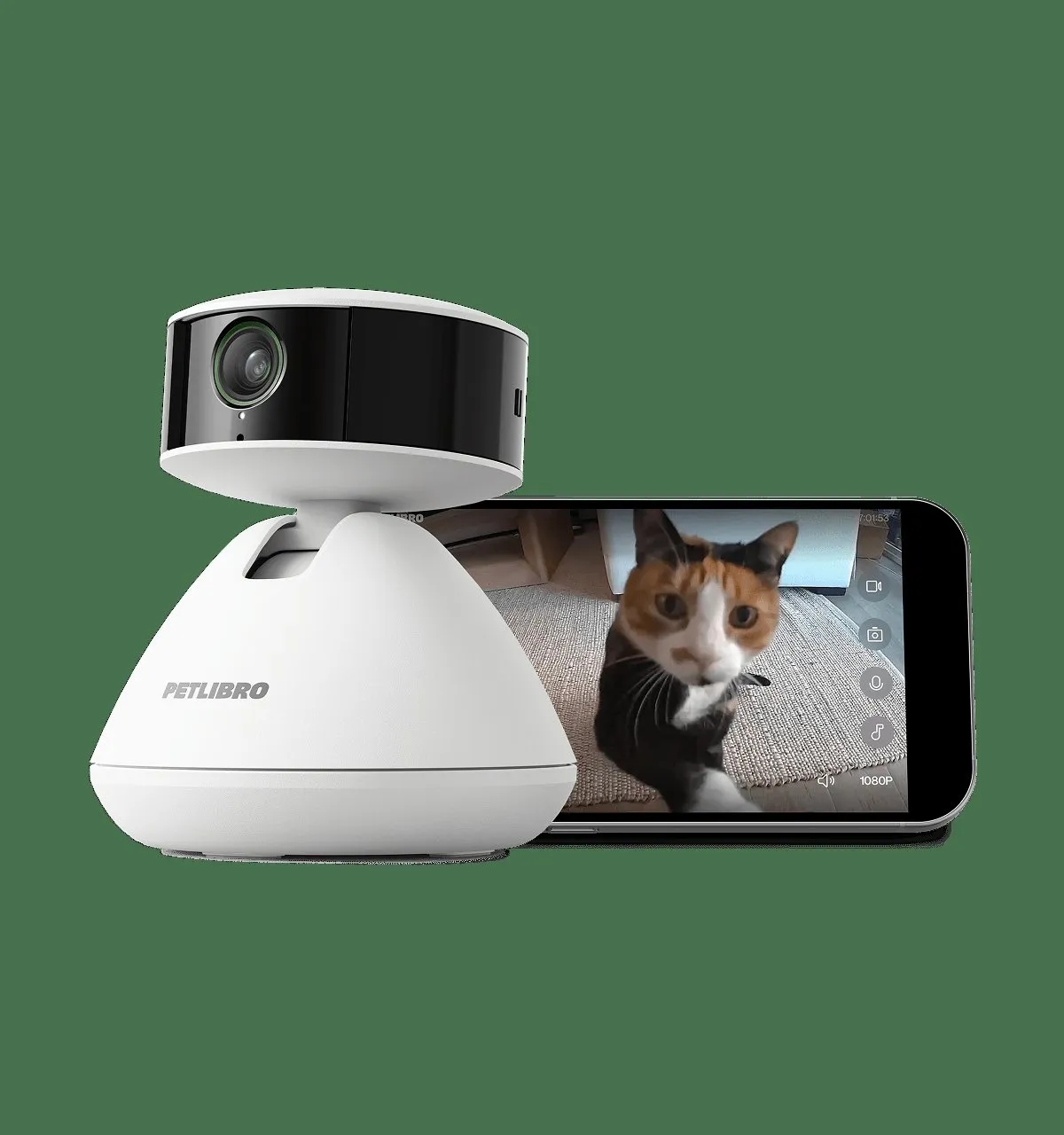
The Scout smart camera has one headline feature: it knows which pet is on screen and tells you about them. Three owners lost it in the same week in September 2026, all after firmware arrived. The thread opener: “Updated firmware this week - possibly a mistake. Ever since, the camera has not been recognizing my cat or sending notifications. I did not have any issues prior to the update. I reset the entire thing but to no avail.” A second owner confirmed the same break and added, “Reached out to support twice in the last week with no response.” A third was waiting for someone to post a fix.
Firmware 3.0.14 bricked two new Polars
The worst case of the month involves the Polar wet food feeder and version 3.0.14. The owner of two brand-new units described “a nightmare with a bricked machine (red light) that won’t open either at a scheduled time or through the app button,” with the second machine stuck at a white light after a failed update. Support explained the rollout this way: “It seems to be an experimental update only getting a partial rollout, according to the one human who would reply to me until they suddenly stopped after requesting a video.” A commenter in the same thread, with five upvotes, put the owner’s experience in nine words: “I accidentally hit update and now I can’t even use it.”
This is not new in 2026. On August 11 a PETLIBRO owner on X wrote, with 19 likes behind the post: “Dear Petlibro, I think your new firmware update bricked my automatic cat feeder.”
Why a pet update fails where your phone update does not
Your phone keeps two copies of its operating system. A new version is written to the idle copy, the phone reboots into it, and the old one sits there until the next update. If the download dies halfway, the phone keeps running the copy it already had.
Most pet hardware keeps a single firmware image and has nowhere to store a second one. The update arrives over the same 2.4 GHz radio the device uses to reach its schedule server, gets written once, and asks the device to boot into a version it has never run. Interrupt that write and you are left with hardware that powers on, lights up, and does nothing you need.
Litter-Robot owners compiled the same lesson into a public list in July 2026, with 29 upvotes on the post: “Firmware updates that can take hours or days to complete and can brick units if interrupted.” Hours or days, on a machine that holds a cat’s toilet.
Two more mechanics make this worse than a phone. The first is that the firmware arrives through the same cloud account the schedule does, so the two fail together. PETLIBRO’s August 2026 outage tested that dependency in public: owners lost their schedules, their status lights, and in some cases a fountain that had worked that morning, and the promise that local scheduling would keep running did not hold for every owner who checked. The second is that the phone app updates on its own schedule, which you do not control unless you turn auto-update off. When app and firmware land out of step, features change without a changelog. Whisker owners watched an app update pull the health history that used to be free behind the Whisker+ subscription, leaving a rolling seven days on the unpaid tier.
What the help pages do not say
Both of PETLIBRO’s firmware help pages are worth reading once, because they show the size of the problem. The page titled “What should I do if the Granary Smart Feeder firmware upgrade fails?” tells you to remove the battery, unplug the feeder and wait 30 seconds, hold the unlock button for 6 seconds, hold reset for 6 seconds, wait for the voice prompt, reconnect in the app, and then, if it still fails, retry the update over a phone’s mobile hotspot. The page about updating the One RFID feeder repeats the recipe with one addition: keep the feeder in the same room as the router.
Both pages end at retry. Neither describes restoring an earlier firmware version. Neither shows a version list. Compare that with the phone in your pocket, where the operating system can fall back to the copy it was already running, and an Android app can be reinstalled from an older build. The more a device is woven into your pet’s daily care, the fewer ways the software gives you to recover it.
Owners fill the gap with improvisation, which is fine until it is not. The Android fix above was a manual download of an older build, which anyone can do but few will discover in the ten minutes they have before work. The iOS fix does not exist.
How a failed update lands on the cat
A dead feeder is expensive. A feeder that reports itself as “status unknown” while your cat waits is the actual risk, and September produced both.
Count the human moves in one September thread: an owner had to ask whether anyone had a fix, wait for replies, try a hotspot retry, and hope the schedule came back. In a different r/Petlibro thread that week, a commenter reported having a cousin make an emergency stop to feed the cats while the owner was away from home.
In some houses a missed cycle is a medical problem rather than an inconvenience. Veterinarians manage chronic kidney disease partly through meal timing, and an owner on r/CatAdvice described running a wet food feeder on a 24-hour cycle for a CKD cat while a sitter refilled the tray once a day. When a firmware update takes the cycle away, the fallback is a person and a bowl.
There is a cheap insurance policy against all of it, and it costs a few minutes on the day of the update.
5 rules before you tap install
- Screenshot the schedule, the portions, and the firmware version. All three live on the device page in the app. A schedule that vanishes takes your memory of it with it.
- Never install inside 48 hours of leaving town. The failure mode is not a dead machine, it is a machine that eats its own schedule while you are somewhere else.
- Install while you are standing next to it. The documented recovery needs six-second button holds and a 30-second power cycle. Have a phone hotspot ready; that is the fix PETLIBRO itself recommends when WiFi stalls mid-update.
- Watch the app version too. Before auto-update replaces it, note the version you are running and whether the store still offers the previous build. Android owners can sideload; iPhone owners cannot roll back.
- Keep a 48-hour fallback. Pre-portioned meals, a second feeder, or a neighbour with a key. It is the same preparation that covers a power cut, which no firmware can prevent.
The case for updating anyway
None of this is an argument for freezing a device forever. petiqlab documented PETLIBRO’s published security problems in August 2026: six API flaws, including an authentication bypass, with no security advisory published at the time of that report. A feeder or camera that shares your home network is worth patching, and a vendor fix that never ships is a risk of its own kind. The answer is not refusal, it is timing.
An update that happens while you are standing there costs you an hour when it fails. The same update at eleven at night before a trip costs your cat a meal.
Which devices in petiqlab’s pool handle updates better
Three picks from the list petiqlab keeps, none of them PETLIBRO. petiqlab earns a commission from the Amazon links on this page.
The PetSafe Smart Feed (about $120.99) stores its schedule on the feeder and runs on backup batteries, so a failed app or a dead router does not stop dinner. PetSafe’s brand-level Trustpilot score measured 2.2 out of 5 across 227 reviews on September 13, 2026, so judge it as a product rather than a badge.
The SureFeed microchip feeder has no app and no cloud account, which means no firmware is ever pushed to it. It is the only option on this list whose update risk is zero by design, and it solves feeding by bowl for multi-cat homes at the same time.
The TP-Link Tapo C210 (about $35-40) records to a microSD card you own, so an app that breaks does not take the footage with it. That is the camera pick on petiqlab’s list, and the reason PETLIBRO’s Scout is not on it.
PETLIBRO stays off that list for now. Its Trustpilot page measured 3.5 out of 5 across 948 reviews on September 13, 2026, with 56% of negative reviews answered, typically inside two weeks, and September’s 1-star entries include a fountain that quit after four days and a feeder that developed a grinding noise in month ten.
FAQ
Can you undo a pet firmware update?
Not on any device petiqlab checked in September 2026. PETLIBRO’s two help pages covering firmware failures describe one remedy: remove the battery, unplug for 30 seconds, hold unlock for 6 seconds, hold reset for 6 seconds, then run the update again, if needed over a phone hotspot. Neither page mentions restoring an earlier version, and no app screen offers a version list. Phone apps are the exception in one direction only: Android owners can sideload an older build, iPhone owners cannot go back at all.
Why did my feeder stop working after an update?
The update has to finish in one piece over the same 2.4 GHz radio the feeder uses to reach its schedule server. If the link drops while the firmware is being written, the device can come back with a red or white light and refuse to run its schedule. Several PETLIBRO owners described exactly that in September 2026, including one who wrote that 1.1.15 installed and then his feeder dispensed 20 grams of kibble and went offline. A failed update is not always a dead device, but it is not a state the app can talk you out of either.
Is it safe to ignore firmware updates?
No. Skipping updates leaves known security problems in place, and a feeder or camera on your home network is worth patching. petiqlab’s August 2026 report on PETLIBRO’s security flaws documented six API problems, including an authentication bypass, with no security advisory or fix timeline published at the time. The habit worth changing is when an update lands, not whether you take it. Update when you are home, when you can watch the device for ten minutes, and when a failed update still leaves you a way to feed the cat.
What happens to my feeding schedule when the firmware updates?
It can disappear. One owner in r/Petlibro wrote in September 2026 that after the update the schedule was gone and the manual feed button had stopped answering. Another described a schedule that survived but stopped executing, with the app reporting status unknown for a meal that should already have run. A feeder cannot rebuild your schedule on its own, so screenshot it before you start and check it once the update finishes.
How do I check which version my device is running?
Open the device page in the app and take a screenshot before any update. Whatever the app reports there, from the device name to the firmware version and the schedule, is what you compare against afterwards, because none of it restores itself. If two apps are listed for your model, confirm you are in the right one first: PETLIBRO’s own App Store description warns that Petlibro and PETLIBRO Lite are separate apps, and tells Granary owners to scan the QR code on the machine.
Which pet devices survive a bad update better?
The ones with no firmware to push. The SureFeed microchip feeder has no app and no cloud account, so nothing arrives over the air. The PetSafe Smart Feed stores its schedule on the device and runs on backup batteries, which covers a failed update and a power cut. The TP-Link Tapo C210 records to a microSD card you own, so a broken app does not take your footage with it. All three sit on petiqlab’s recommendation list, and none needs a subscription.
Do this before the next update
Screenshot the schedule and the portion sizes on every feeder in the house. Note the app version you are running before auto-update replaces it. If a firmware update is waiting, install it on a day you will be home for an hour, with a fallback meal already pre-portioned.
Related reading: how pet tech behaves when the cloud is gone, why feeders skip meals when schedules do not execute, what PETLIBRO’s security flaws mean for an unpatched device, the August outage timeline, and the claims process if an update kills a unit inside warranty.
Updated: 2026-09-13. Sources: PETLIBRO’s Granary Smart Feeder firmware upgrade failure page (battery out, 30-second reload, 6-second unlock and reset, hotspot retry; read September 13, 2026), PETLIBRO’s One RFID feeder firmware update page (power, router proximity, reset and reconnect, hotspot retry; read September 13, 2026), r/Petlibro thread 1w7by26 (“we are now terrified to update anything”; “My feeder doesn’t connect to the wifi after the update”; September 5, 2026), r/Petlibro thread 1wb2msn (“Same here 1.1.15 did it. Once it installed it puked out 20g of kibble and went offline”; “My feeding schedule disappeared”; “this morning’s scheduled feeding says status unknown”; September 9, 2026), r/Petlibro thread 1wagl96 (“it just sits at the logo screen”; “manually downloaded 1.8.99, which works just fine”; September 8, 2026), r/Petlibro thread 1wd06g8 (“the camera has not been recognizing my cat or sending notifications”; “Reached out to support twice in the last week with no response”; September 11, 2026), r/Petlibro thread 1wcy9fj (“a nightmare with a bricked machine (red light)”; “an experimental update only getting a partial rollout”; “I accidentally hit update and now I can’t even use it”; September 11, 2026), @N4BWR on X status 2087264783938547776 (“I think your new firmware update bricked my automatic cat feeder”; 19 likes; August 11, 2026), r/litterrobot thread 1ulibzn (“Firmware updates that can take hours or days to complete and can brick units if interrupted”; 29 upvotes; July 2, 2026), the Petlibro app on Google Play (2.6 stars, 3.18K reviews, 100K+ downloads, updated September 10, 2026; reviewer note “they’ve somehow managed to break everything in the app”; read September 13, 2026), the Petlibro app on the App Store (separate Petlibro and PETLIBRO Lite apps, QR code instruction for Granary owners; read September 13, 2026), Trustpilot’s petlibro.com page (3.5 of 5 across 948 reviews, 56% of negative reviews answered, typically within two weeks; checked September 13, 2026), and Trustpilot’s petsafe.net page (2.2 of 5 across 227 reviews; checked September 13, 2026). Firmware versions, app versions, and prices change; verify before you buy.