Stuck at 90%: Why Your Pet Feeder Won't Rejoin WiFi
The short answer: when a pet feeder freezes at 90% during WiFi setup, the router is usually doing its job. The two radios are not speaking. Nearly every pet device on the market carries a 2.4GHz-only chip, most mesh routers publish a single network name across both bands, and the phone running the setup app gets steered toward 5GHz. The handshake never completes. Six fixes repair it, and the first three cost nothing.
On September 21, 2026, an owner in r/Petlibro described the freeze after updating a Granary camera feeder to firmware 3.1.54: “It hangs up at 90% then tells me unable to connect.” Fourteen comments followed from people parked at the same bar. The one workaround that kept working was a phone hotspot. The owner could pair the feeder that way and then could not move it back to the home network.
Another commenter in that thread had already lost a day to it. “Banging my head against the wall for 24 hours trying to connect mine,” he wrote. “Got back from vacation yesterday and figured I should finally do the update. As soon as I did it took it offline.”
A third comment is the one worth keeping, because it shows how a radio problem gets read as dead hardware. After a power cut, this owner decided to run the update anyway: “The machine immediately went into an endless cycle of ‘Reset successful, connecting to WiFi’.” Nothing had failed at the component level. A 2.4GHz radio had been dropped back into a pairing fight that was already being lost.
What the 90% freeze actually is
Pairing is three moves, not one. The device broadcasts an open network for the app to find. Your phone hands over the network name and the password. Then the device authenticates and joins. The progress bar spends its first stretch on moves one and two, and the last stretch on move three. A bar that dies at the end is a device that took your credentials and got refused.
Band steering is the usual reason for the refusal. A third-party troubleshooting guide from TruthfulPaws, published March 25, 2026, explains what your router is doing while you stand there retrying:
“Modern mesh routers broadcast both 2.4GHz and 5GHz under a single network name, then automatically steer your devices toward whichever band they think is better. Your phone, sitting a few feet from the router, gets pushed to 5GHz. Your pet device, advertising only 2.4GHz during setup, is on a different frequency. They can’t see each other.”
The same guide opens with the sentence worth taping to the router: “Your router isn’t broken. Your pet device isn’t broken. They just can’t see each other during setup.” That is also why the failure shows up the day you finally run an update, and not the year before.
| What you see | What it usually means |
|---|---|
| Hangs at 90%, then reports unable to connect | Phone and device sitting on different bands, or the security handshake was refused |
| Pairs over a phone hotspot, fails on home WiFi | The hotspot is a single-band network, and its security mode is almost never WPA-3 |
| Loops on “Reset successful, connecting to WiFi” | A failed firmware update, not a dead board |
| Worked for a year, broke after a firmware push | Something changed on the device side of the handshake |
Why it started the week you updated the firmware
Two explanations circulate in the r/Petlibro threads, and neither comes from Petlibro.
The first arrived on September 23 in a thread titled “I think I fixed the firmware update wifi problem.” The owner’s theory is narrow and testable:
“You need to set your wifi security to WPA-2 (or 1), not WPA-3. Somehow the firmware update made the petlibros not able to use WPA-3 secured wifi networks anymore. The reason why some of you had success is that phone wifi hotspots are almost never secured with WPA-3.”
The second explanation is older than any firmware and needs no bug at all. Band steering is a router behaviour, and a device that is re-added to the network after months of being paired runs into it for the first time. A firmware update forces that re-add, because the device reboots, forgets its session and starts the handshake from scratch.
The same thread holds the counter-example that stops the WPA-3 story from being the answer. One owner wrote that he changed his network to WPA-2 and reported back: “still getting stuck at 90%.” A second owner in that thread had success with a different change, and said so in one line: “I have the granary 1 and changed my WiFi to 2.4GHz and after the update it now connected.”
So the honest reading is this. WPA-3 breaks some of these setups. Band steering breaks more of them. Neither explains every case, and Petlibro has not published a cause. What follows is a ladder, not a diagnosis.
Six fixes, cheapest first
Owners who got back online followed roughly this order. Each step takes a few minutes, and each one changes exactly one variable, which is what makes the sequence worth keeping.
- Toggle airplane mode. Put the phone in airplane mode, switch WiFi back on, and start the pairing again. This clears a stale association on the phone side. Free.
- Walk away from the router. This is the fix owners call the distance trick, and it works because 5GHz fades faster than 2.4GHz. Walk until the phone drops the network, step back until it reconnects, and pair from there. A commenter under a widely shared walkthrough described it better than any manual: “I swallowed my pride and went and sat in my driveway to set up a pet feeder while fielding questions from my curious neighbors.”
- Split the bands if your router allows it. On ASUS hardware, turn off Smart Connect and give each band its own name. On an Eero, pause the 5GHz band for 15 minutes and pair inside that window. Google Nest WiFi cannot split bands at all, which sends those owners straight to step six.
- Set security to WPA2-PSK (AES). The TruthfulPaws guide puts it plainly: “Some pet devices can’t handshake with WPA3 networks. If your router is set to WPA3-only, switch to WPA2-PSK (AES) and retry setup.” Remember the counter-example. One owner did this and stayed at 90%.
- Use an older phone or tablet for setup. A handset that only supports 2.4GHz cannot be steered to the wrong band. Once the device is paired, your main phone finds it normally.
- Build a dedicated 2.4GHz network. A GL.iNet Mango broadcasts 2.4GHz only by design, costs about $15 to $25 and takes a few minutes to configure. A TP-Link RE220 works if you give its 2.4GHz band a separate name. If you have a router in a drawer from before you moved to mesh, factory reset it, disable its 5GHz radio, disable DHCP and use it as a 2.4GHz-only access point for free.
One more free setting belongs on this list. Keep the network name under 31 characters and drop commas, slashes, the @ symbol and apostrophes from it. The same guide reports that a network called “The Kellerman’s!” can silently fail to pair with certain IoT firmware, which is the kind of detail nobody thinks to check.
When the network is not the fault
Two habits separate a five-minute fix from a wasted weekend.
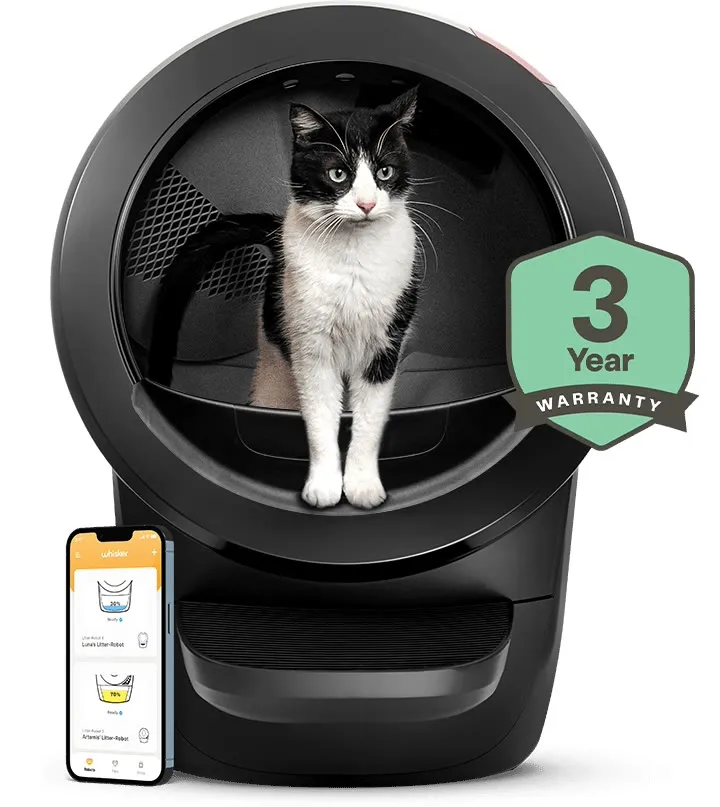
The first is knowing that this is a category problem, not a brand defect. The TruthfulPaws list of devices whose owners report it most often runs long: PETKIT PuraMax and PuraMax 2, Litter-Robot 3 and 4, Furbo cameras, Wyze cameras, PetSafe smart feeders, Petlibro feeders, Tractive GPS trackers, MeoWant litter boxes and the Casa Leo Leo’s Loo Too. Whisker’s own Litter-Robot 4 page states the 2.4GHz requirement, and owners have reported the mixed-mode fix on that device too, which is covered in our write-up of the router and reconnect fixes Litter-Robot owners try.
The second habit is checking the device before blaming the app. If a feeder is offline after a failed update, the failure modes of a pet firmware update are a better first stop than the router admin page, because a device that never rejoined the network cannot be fixed from the network side.
Then there is the support clock. An owner in the September 21 thread had already opened tickets and passed on the reply: “They said up to 3 days for a reply from a supervisor.” The petlibro.com Trustpilot profile shows the same pressure from the other direction, at 3.4 across 1,016 reviews with replies to 72% of negative reviews within two weeks. A reply percentage measures whether someone typed back, not whether the radio problem got solved, and the September threads contain no Petlibro explanation of the 90% freeze at all.
While you wait, keep the household fed. Use the manual feed button, and skip the factory reset. A reset wipes the schedule stored on the device, and owners who reset during a connection failure spend the next evening rebuilding meal times. If an outage is what started this, the checks in what still runs when the WiFi drops are worth reading before you touch anything.
What to check before you buy
If you are shopping rather than repairing, the chip inside the device decides whether this article ever applies to you.
| Device generation | Radio | What it means at setup |
|---|---|---|
| Most devices sold before 2024 | 2.4GHz only | The full ladder above may be needed |
| Litter-Robot 5, PETKIT Purobot Max Pro, Petlibro Dockstream 2 | Dual band, per the third-party roundup | Band steering has less to argue about |
| SureFeed microchip feeder | None | Nothing to pair |
| PetSafe Smart Feed | 2.4GHz only, stated on the maker’s support page | The feeder holds its schedule and its batteries, but setup still needs 2.4GHz |
Three questions are worth asking of any listing. Does the product page state which bands the radio supports, or does it leave the answer to the app store reviews? Can the router you already own split its bands or create a separate IoT network, since Netgear’s newer Orbi systems and TP-Link Deco both can? And does the device keep feeding when the network disappears, because that is the failure you will actually notice while traveling. Our comparison of pet devices that work without WiFi covers the last one in detail.
What actually skips the handshake
The pairing problem is a property of the radio, not of the brand, so the only device immune to it is one with no radio at all. That is the case for the SureFeed microchip feeder. It opens for the cat whose chip is registered to it, runs on batteries, and has no app, no account and no network to fail. Nothing about your router can break it, which matters more in a multi-cat house than any feature on a spec sheet.
For owners who want app control anyway, the PetSafe Smart Feed is the pick on the feeder side, and the honest disclosure is that it does not escape this article. PetSafe’s own support page for the second-generation unit states that a 2.4GHz router is required, alongside an AC adaptor and optional four D-cell backup batteries. What it buys you is a schedule that lives on the machine, so a failed setup does not turn into a missed meal.
On the camera side, the TP-Link Tapo C210 records to a microSD card you own with no subscription attached. It sets up over 2.4GHz like everything else in the category, so run the ladder first and buy hardware second.
FAQ
Why does my pet feeder get stuck at 90% during WiFi setup? The device received the network name and password and then failed to join. On most pet hardware the radio is 2.4GHz-only while mesh routers publish one name across both bands and push the phone to 5GHz, so the two never meet during the handshake. A third-party troubleshooting guide blames band steering and lists PETKIT PuraMax, Litter-Robot 3 and 4, Furbo, Wyze, PetSafe feeders, Petlibro feeders, Tractive and MeoWant as repeat offenders.
Why did it stop connecting after a firmware update? One owner in r/Petlibro posted that firmware 3.1.54 left his Granary unable to use WPA-3 secured networks, and pointed out that phone hotspots are almost never WPA-3, which is why hotspot setup worked. petiqlab has not tested this. The same thread contains an owner who switched to WPA-2 and still froze at 90%, so treat the security change as one factor rather than the whole answer.
Why does a phone hotspot work when my home WiFi does not? A hotspot is effectively a single-band network with a simple security setting. Nothing steers the phone away from 2.4GHz and the security mode is usually WPA-2, so the handshake your home network refuses goes through. That is a diagnostic result, not a fix. The feeder is now paired to a network that disappears when you leave and runs on your phone’s data plan.
Does switching my router to WPA2 fix it? Sometimes. Owners in the September 2026 r/Petlibro threads report two outcomes from the same change. One wrote that after moving to WPA-2 the Granary connected; another wrote that he changed to WPA-2 and was still stuck at 90%. Try it because it is free and reversible, but keep the 2.4GHz and band steering checks on your list rather than treating WPA-2 as the cure.
What if my router will not split 2.4GHz and 5GHz? Two options. The distance trick works on any router. Put the phone in airplane mode, switch WiFi back on, walk away from the router until the signal drops, then pair at that edge where only 2.4GHz still reaches. If that fails, a small 2.4GHz-only router or a repurposed old router creates a network your device can always see. Available hardware runs about $15 to $25.
Which pet devices avoid this problem entirely? The ones with no radio. A SureFeed microchip feeder has no app, no account and no cloud, so there is no handshake to fail. Devices with a schedule stored on the machine, such as the PetSafe Smart Feed, keep dispensing through a failed setup but still need 2.4GHz to configure and to send notifications. Dual-band chips are appearing on newer hardware, including the Litter-Robot 5, the PETKIT Purobot Max Pro and the Petlibro Dockstream 2.
Updated: 2026-10-02. Sources: r/Petlibro thread “Granary camera firmware update, won’t switch back to home Wi-Fi” (September 21, 2026, including the owner who froze at 90% and could only pair over a phone hotspot, a 24-hour attempt that took the feeder offline, the power-cut update that looped on “Reset successful, connecting to WiFi”, the “paperweight” comment, and the support estimate of up to 3 days for a supervisor reply; read October 1, 2026), r/Petlibro thread “I think I fixed the firmware update wifi problem” (September 23, 2026, including the WPA-2 theory and the hotspot reasoning, the owner who changed to WPA-2 and stayed at 90%, and the Granary owner who connected after moving his network to 2.4GHz on firmware 3.1.54; read October 1, 2026), the TruthfulPaws troubleshooting guide “Smart Pet Device Won’t Connect to WiFi? Here’s the Fix” (by John Guthrie, published March 25, 2026, and carrying its own affiliate links: the band steering explanation, the driveway comment under Steven Love’s walkthrough, the WPA-3 handshake note, the network name length and character guidance, the router band-splitting table including Eero’s 15-minute 5GHz pause, Google Nest WiFi’s inability to split bands, and the dedicated IoT networks on Netgear Orbi and TP-Link Deco, the GL.iNet Mango and TP-Link RE220 hardware fixes, the list of affected devices, and the dual-band note about the Litter-Robot 5, Purobot Max Pro and Petlibro Dockstream 2; read October 2, 2026), PetSafe’s Smart Feed second generation support page (AC adaptor with an optional four D-cell backup battery, 2.4GHz router required, first verified by petiqlab on September 24, 2026, page rechecked October 2, 2026), Whisker’s Litter-Robot 4 product page (the stated 2.4GHz WiFi requirement; page read October 2, 2026 and the review total deliberately not quoted because the figure this site recorded on September 10, 2026 could not be rechecked today), the TP-Link Tapo C210 product page (microSD recording with no subscription; read October 2, 2026), the Sure Petcare microchip feeder page (registered pet identities stored on the unit, battery operation, no account; read October 2, 2026), and the petlibro.com Trustpilot profile (trustpilot.com; 3.4 from 1,016 reviews with replies to 72% of negative reviews within two weeks, read October 1, 2026). Hero image: official Whisker product photograph of a Litter-Robot 4 with the companion app from the maker’s own product page.